
Waist Heart Trend AI: 3 Ways to Make the Video From One Photo, Compared
Three ways to make a waist heart trend video: WaistHeart turns one photo into the pose with no filming, editing or account. Or film it yourself, or build it with a general AI tool like Kling or Seedance.
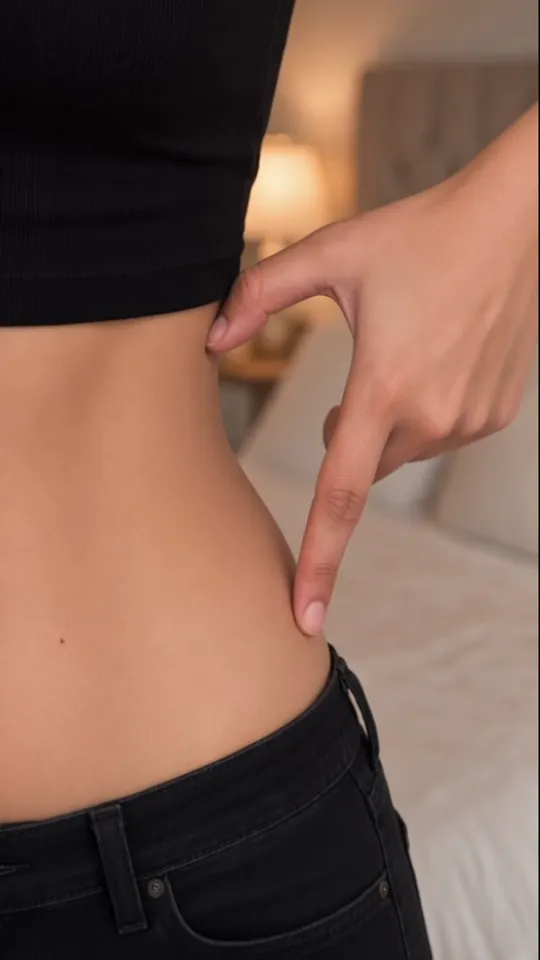
The fastest way to make a waist heart trend video from one photo is WaistHeart: upload a portrait, pay once, and download a vertical clip of the pose. No filming, no editing, no prompts and no account. The other two ways are to film it yourself for free, or to build it with a general AI video tool such as Kling or Seedance.
Disclosure: WaistHeart is our product. Kling and Seedance are general-purpose AI tools, not made for this trend; we describe how they work in general, and their features change.
The quick answer
- One photo, nothing else to do: WaistHeart. Five heart poses, $6 for one pose or $15 for four in one clip, pay per video.
- Free: film the pose yourself. Our step-by-step waist heart pose guide shows each step.
- You like tinkering with AI: Kling or Seedance, if you're happy to write prompts and retry.
Comparison table
Way | Cost | What you do | Poses | Account |
|---|---|---|---|---|
WaistHeart (ours) | $6 for one pose, $15 for four | Upload one photo and pay | Waist, bicep, head, hand and cheek heart, ready-made | No |
Film it yourself | Free | Perform and film the pose | Any you can do | No |
Kling | Credits | Write a motion prompt, retry until the pose looks right | Whatever your prompt gets | Yes |
Seedance | Credits | Write a motion prompt, retry until the pose looks right | Whatever your prompt gets | Yes |
1. WaistHeart (our tool)
WaistHeart is made for this one trend, so there's nothing to set up:
- No filming. One portrait photo is enough.
- No editing. You get a finished vertical 720p clip.
- No account. Pay once per video; we email a link to your order page, where you download the video or scan a QR code to save it on your phone.
- Five heart poses. Waist, bicep, head, hand and cheek heart. One pose is a 6-second clip for $6; four poses come as one 15-second clip for $15.
- Free retry. If your photo can't be used, upload a new one from the order page and we make the same video again, up to 3 times.
Your photo and the video are kept in private storage and deleted after 30 days. Two things to know: WaistHeart is made for photos of women, because the poses and outfits are designed for women, and it doesn't promise a soundtrack, so add the trend sound in TikTok or Reels when you post.
2. Film it yourself (free)
The way the trend started. You need a phone, a spot to prop it at chest height, and a top that shows the side of your waist. The waist heart pose guide walks through the hand shape and the common mistakes.
- Good: free, your own moves, and the trend sound is right there when you post.
- Not so good: you have to perform and film it, which is the part many people want to skip.
3. General AI video tools: Kling and Seedance
Both can turn a photo into a short clip, but neither knows the waist heart trend. You do the directing.
Kling animates a photo from a text prompt. You describe the motion, for example hands meeting at the side of the waist to form a heart, and it generates a clip for credits. Hands are hard for AI video, so expect a few tries, each costing credits, before the heart looks clean.
Seedance is ByteDance's video model. It also animates a photo from a text prompt, and you use it through apps or services built on it, paying in credits. Like Kling, it doesn't know the trend, so you describe the hand movement yourself and retry until it looks right.
- Good: flexible; you can try any motion you can describe.
- Not so good: you write and tune the prompt yourself, each try costs credits, results vary, and neither is set up for this trend.
Photo tips that help with any AI tool
- One person, facing the camera. A clear portrait works best.
- Show the side of the waist. The waist heart needs the waist curve. A fitted or cropped top makes it easier to see.
- Leave the arms free. The arm that makes the heart needs to be visible.
- Use a photo you have the right to use. That means a photo of yourself, or of someone who said yes.
Questions
What is the easiest way to make a waist heart video from one photo?
Upload the photo to WaistHeart and pay once. You don't film, edit, write prompts or sign up, and you get a vertical clip of the pose to download.
Is there a free way to make a waist heart video?
Yes: film the pose yourself with your phone. Kling and Seedance charge credits for each try.
Can Kling or Seedance make a waist heart video?
They can animate a photo, but they are general AI video tools, not made for this trend. You describe the motion in your own prompt, and it can take several tries before the hands form a clean heart.
Can I make a waist heart video of a man?
Not with WaistHeart: its poses and outfits are designed for women, so it asks for a portrait of a woman.
Do I need an account?
Not for WaistHeart: you pay per video and get an order link by email. Kling and Seedance-based apps ask you to sign in.